🔔 Push Notifications: Why They Matter and How to Set Them Up🔗
Push notifications are the most effective way to non-intrusively deliver any important information to your Guests 💡
1️⃣ What You Should Know🔗
♦️ Who receives push notifications?
All mobile app users who have given their consent to receive notifications.
♦️ Why send push notifications?
This is one of the fastest and most effective ways to deliver important or useful information — and most importantly, it's free!
♦️ What should you send in push notifications?
Only the most important things:
- seasonal offers
- promotions and discounts
- information about opening a new location
- congratulations and special occasions
The main thing — don’t overuse them 😜
👉 Recommended frequency: no more than once every 1–2 weeks.
2️⃣ How to Send a Push Notification?🔗
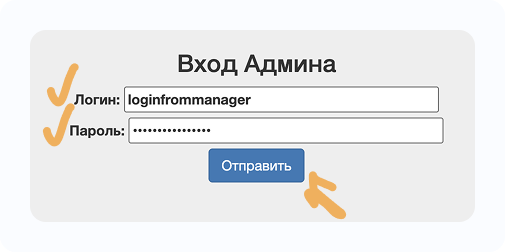
1 - Go to 👉
🗂 Personal Account
2 - Enter your login and password
(provided by your manager or уточнить в поддержке 👉
💬 Contact Support
)
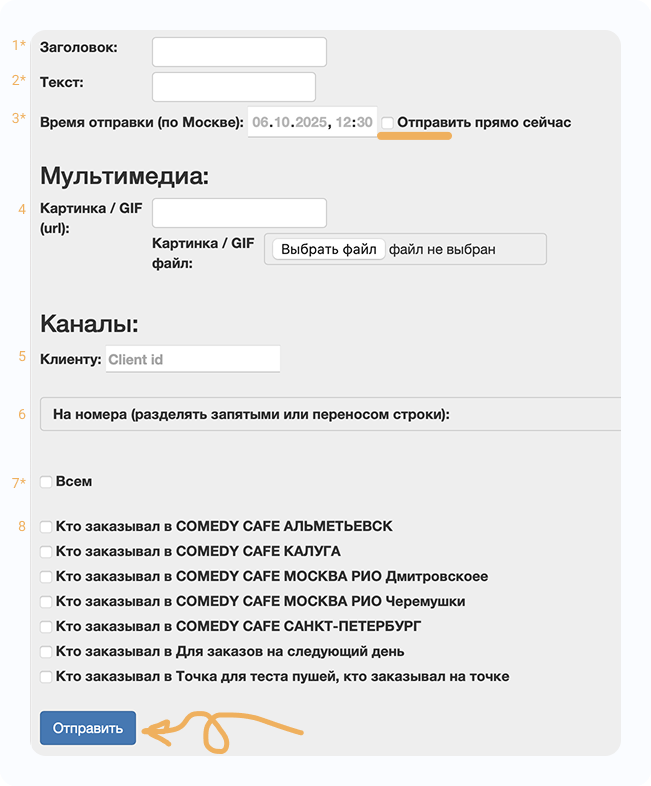
3 - Go to the Пуши (Pushes) section
4 - Click Отправить новые пуши (Send new pushes)
5 - Fill in the details:
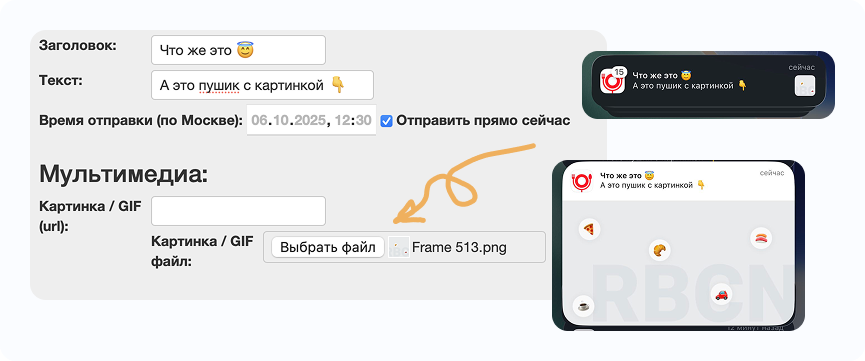
- Заголовок (Title)* — up to 80 characters
- Текст (Text)* — up to 240 characters
- Время (Time) — choose the sending time (Moscow time)* or select “send now”
- 📌 We explain points 4–6 and 8 below
- Check «Всем» (Everyone)
- Click Отправить (Send)
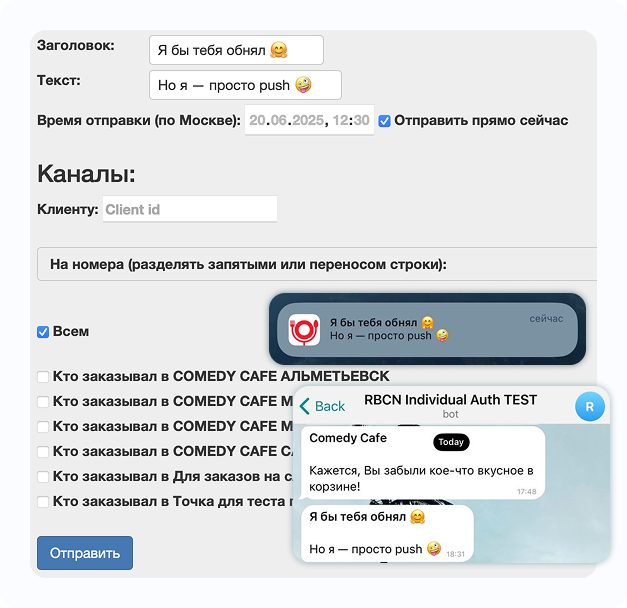
📌 This is how the setup and result look.
By the way ℹ️ We can also send push notifications to the Telegram bot used for user authorization.
Learn more here 👉 💬 Telegram Bot — More Than Just Authorization
3️⃣ Examples of Push Notifications🔗
Hurry up!
“Vesuvius” roll for only 89 rubles 💪😎👍Friends!
Until the end of the month you get double points for every order! Hurry 🔥We miss your orders 😔
Here are 150 bonus points for your next order 😜Not sure what to cook for dinner?!
🙈 Order your favorite dishes for delivery! 😎Friday evening
A perfect reason to treat yourself to your favorite dishes! 😜😎Don’t miss your chance to order pizza 🍕🍕🍕!
We’ll deliver it hot 🔥 before the match ⚽⚽⚽ Let’s cheer for our team!15% discount on pizza when ordering through the app
All pizzas, including sushi pizzas 😎😎😎Hurry! Last day of the promotion!
Get a “Philadelphia Lux” roll as a gift for orders over 1000 ₽ 🍤🍤🍤
👉 Need inspiration for push texts?
🧠 What We Learned from the Tema Yedy 2025 Conference
4️⃣ Important!🔗
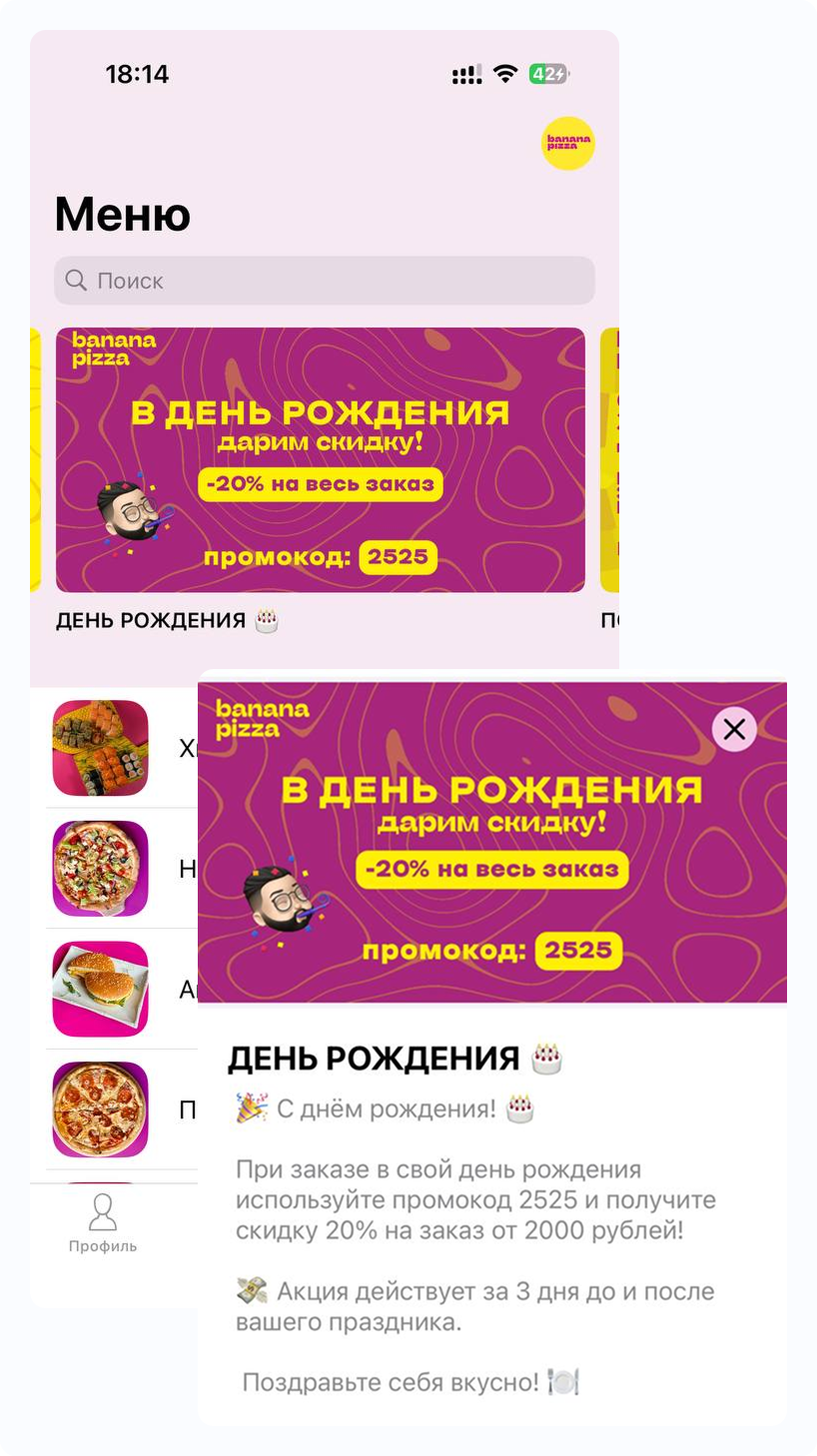
For better effectiveness:
-
Set up an additional banner/news item —
📰 News Banners in the App: Why and How to Set Them Up? -
Set up a promotion (in iiko or via our support —
💬 Contact Support),
so that a specific mechanic works (for example, a discount on the first order).
5️⃣ Advanced Features🔗
- You can send notifications with an image
- resolution 960×516 px — horizontal
- size UP TO 10 MB
- format .png
- DO NOT write text on the image (it will be too small)
- You can send notifications with GIF
- resolution 960×516 px — horizontal
- size UP TO 10 MB
- format .gif
- free GIF library here:
https://lottiefiles.com/featured-free-animations
- You can send notifications with video
- resolution 960×516 px — horizontal
- size UP TO 25 MB
- format .mp4
- You can send messages to specific users by Guest ID or phone number.
👉 To learn how to create personalized campaigns — contact your manager or support.
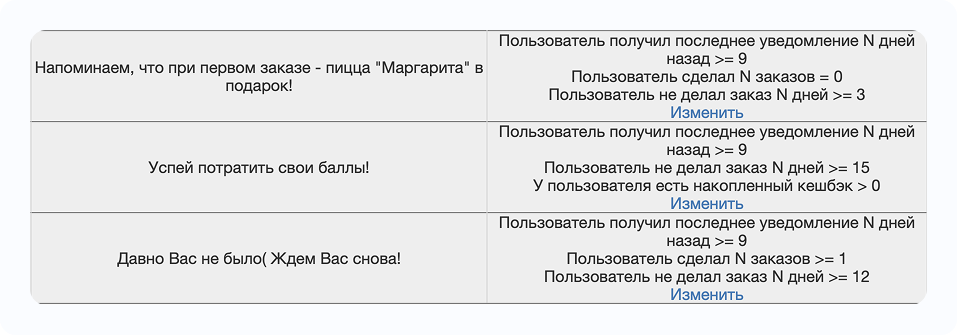
- You can configure automatic campaigns, for example:
- the guest installed the app but did not place an order
- the guest hasn’t ordered for a long time
- birthday
- holidays
- happy hours and more
For advanced campaigns 💡
- Contact our support 👉 https://t.me/RBCNbot — for setup.
- Or use the service
💫 Premium Promotion via UpLab
6️⃣ PUSH Notifications from iiko via Webhook🔗
If you use iiko, you can extend standard push notifications by enabling event-based sending via webhook.
💡 Especially relevant if:
- you have an app with check-in only, without order placement — guests can still receive pushes from iiko;
- you want additional notifications about points accrual or changes;
- you use guest categories (VIP, New, Regular) and want to notify about status changes;
- you run bonus campaigns (welcome bonus, bonus per order, etc.).
📌 What Can Webhook Pushes from iiko Do?🔗
How much does it cost? 💰
Connecting webhook notifications from iiko is a paid option.
Cost: 1000 ₽ per month per app.
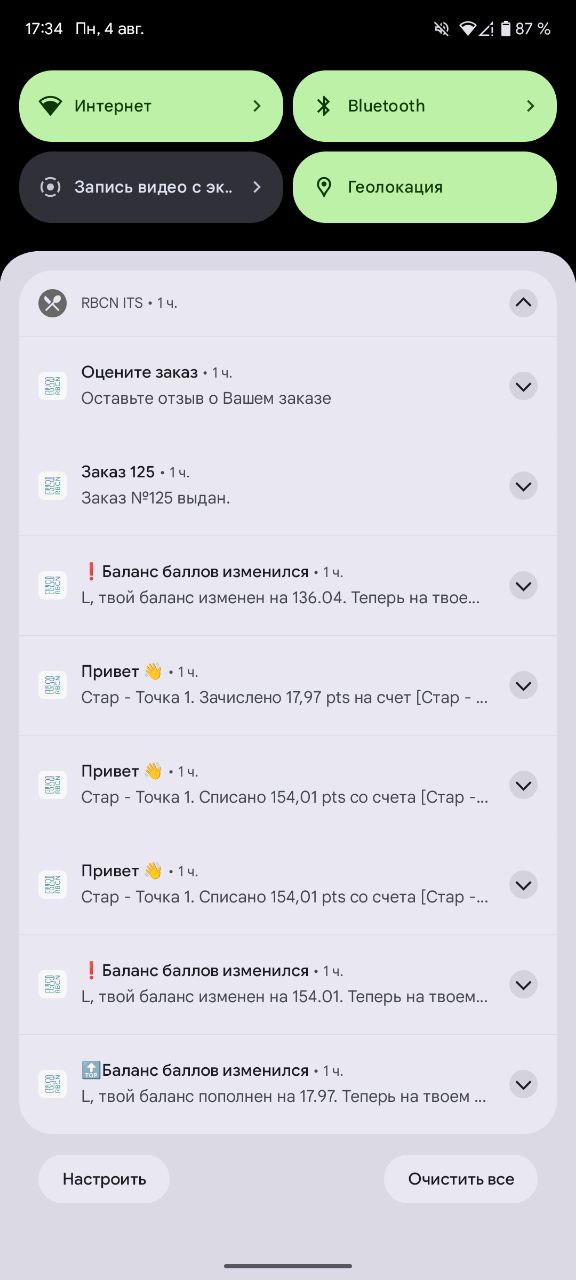
These push notifications look the same as regular ones:
| iiko Event | When It Triggers | Example PUSH |
|---|---|---|
| Manual balance refill | When balance is changed manually | 🔝Points balance updated {client_name}, your balance increased by {sum}. Now you have {balance} points 😜 |
| Payment with points | After order closure | ❗️Points balance updated {client_name}, your balance changed by {sum}. Now you have {balance} points 😜 |
| Bonus accrual via promotion | After order closure with bonus accrual | 🔝Points balance updated {client_name}, your balance increased by {sum}. Now you have {balance} points 😜 |
| Bonus accrual via API | For example, welcome bonus upon registration | 🔝Points balance updated {client_name}, you received {sum} points for registration. Now you have {balance} points 😜 |
| Guest category change | When guest category changes | 🔔 New status assigned Hooray! {client_name}, you received status {category}. We’re waiting for your orders 🫶 |
| Guest category removal | When guest category changes | 🔔 Your status changed {client_name}, you lost status {category}. We’re waiting for your orders 👻 |
| Simple notification | When configured in iikoCard | Hello 👋 Text comes from webhook event without changes |
🛠 How to Connect?🔗
We will prepare a short guide on how to configure webhook in iiko.biz and which checkboxes to enable 👉
Setup can be done independently or with your dealer. 🔔 Setting up iiko.biz webhook for PUSH notifications
❓ What If There Are No Orders in the App?🔗
Even if order placement is disabled, webhook pushes still work — they are triggered by actions in iiko, regardless of where the order was placed.
If you want to connect webhook PUSH ℹ️