📸 Dish Photo Sizes and Display Options🔗
ℹ️ Photo Recommendations
Optimal photo size — 1000×700px (horizontal)
Maximum file size — 1mb
The dish in the photo should be centered and positioned with a small margin from the edges of the image
(this is important because there are several display formats in the menu, and depending on the selected format, certain parts of the image may be cropped)
1️⃣ How the Photo Is Displayed🔗
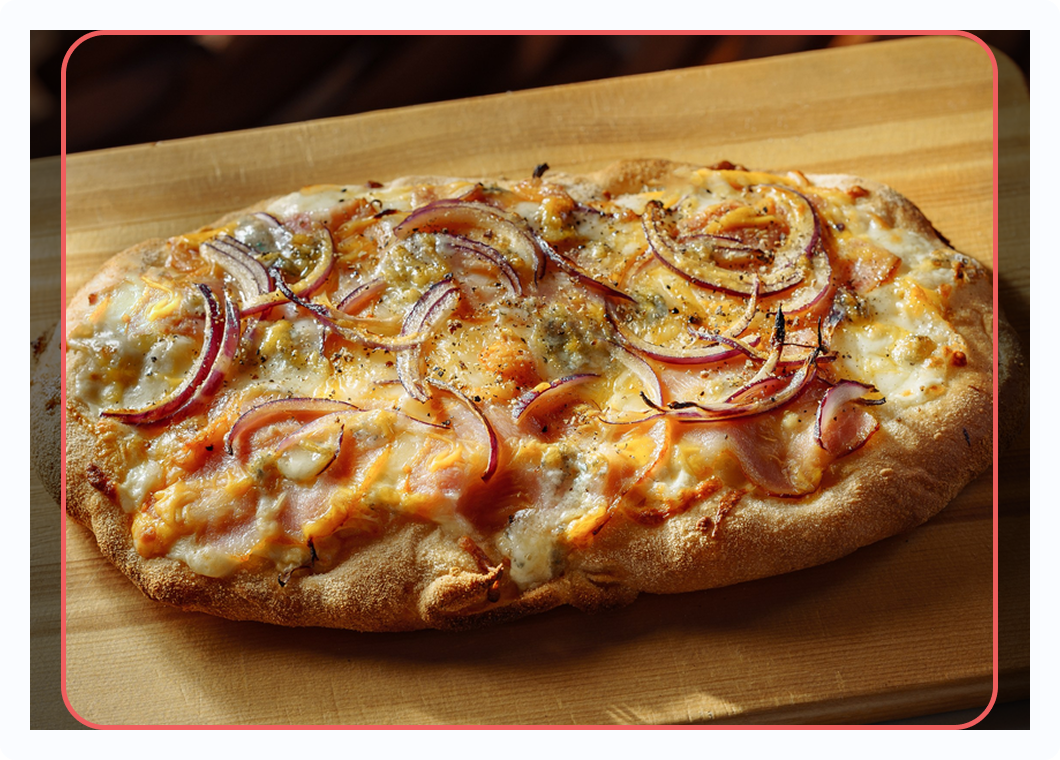
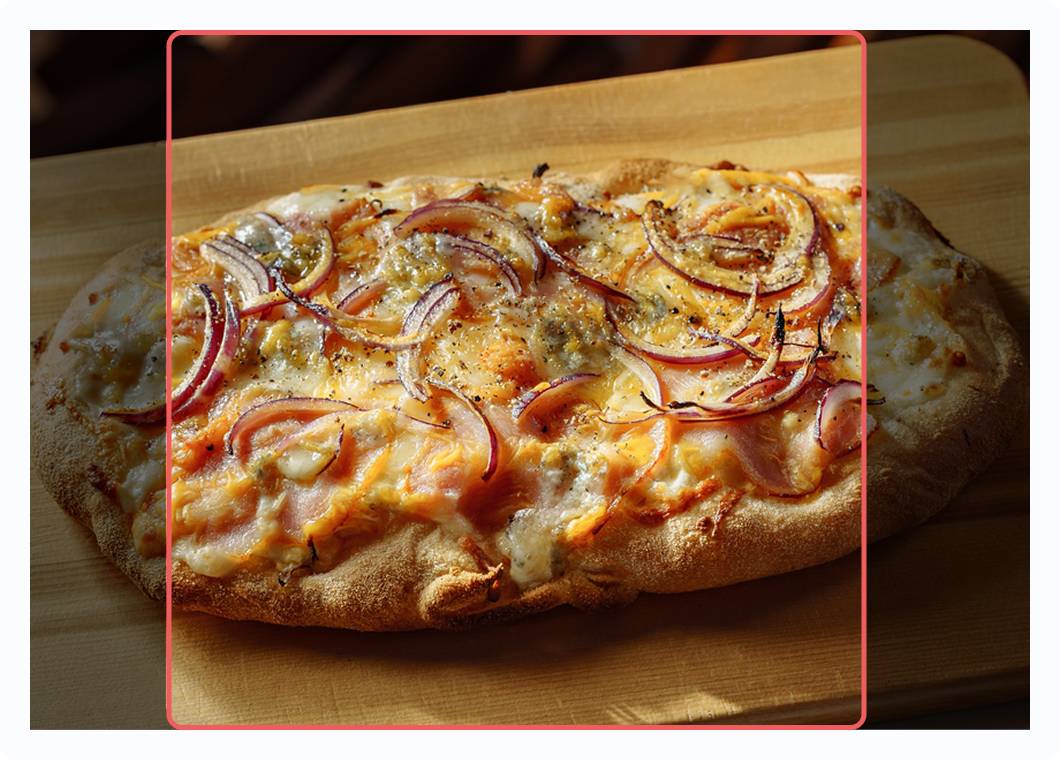
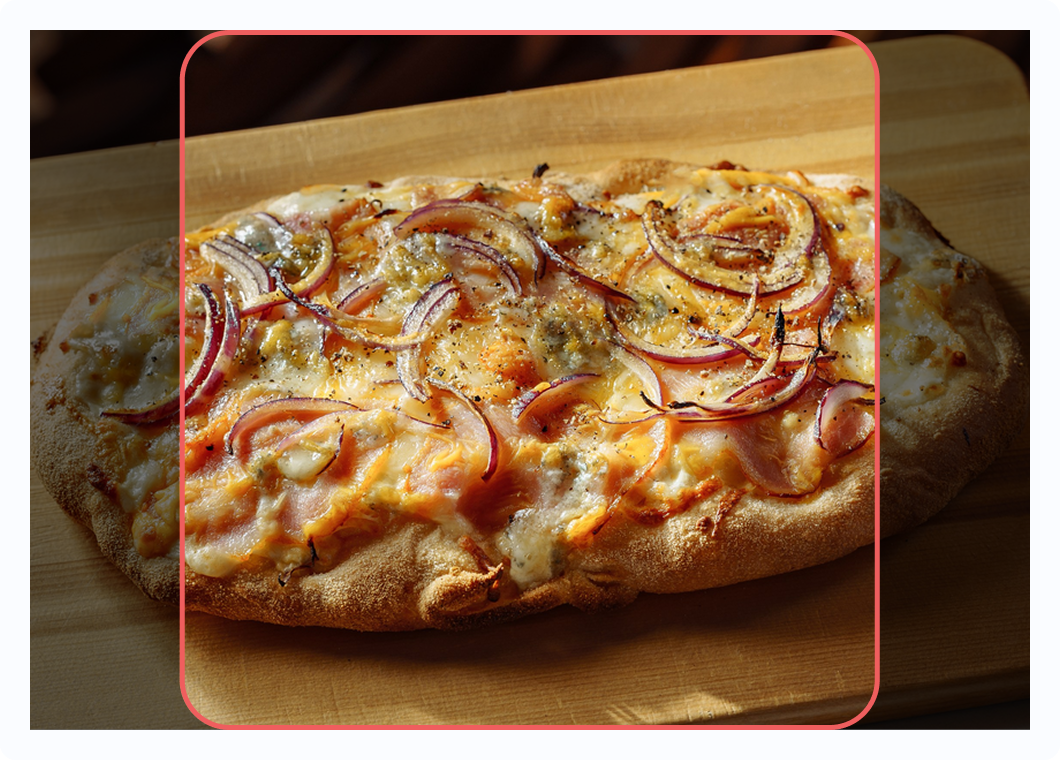
Based on experience 😇 we have never received perfectly prepared photos, so both the app and the website use a “fit into mask” rule.
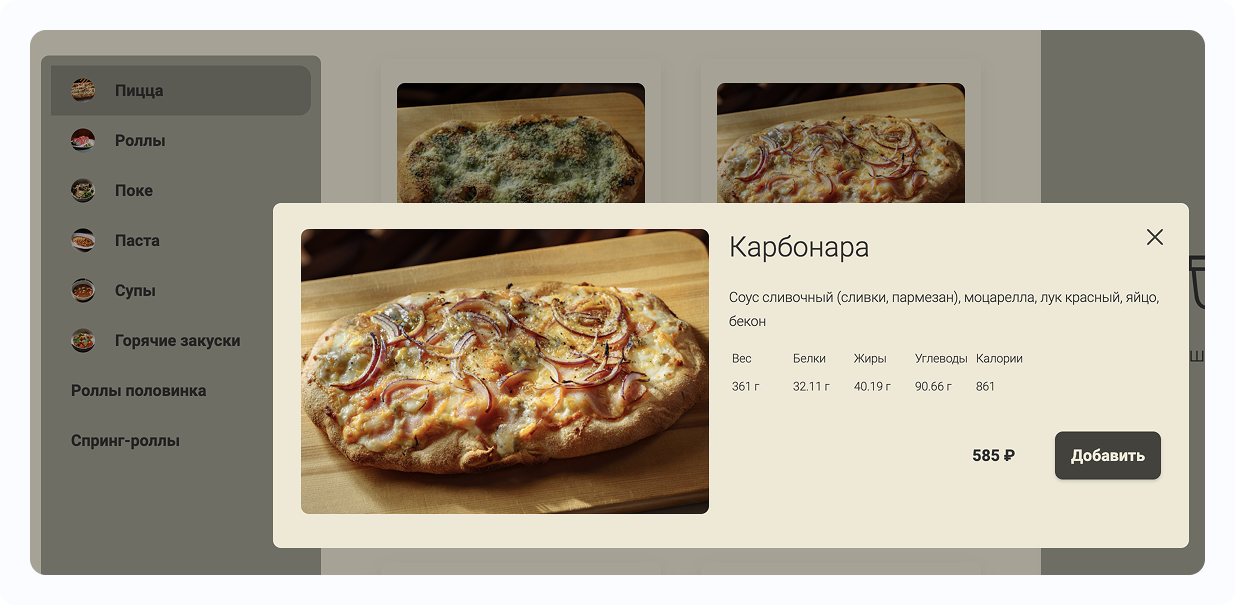
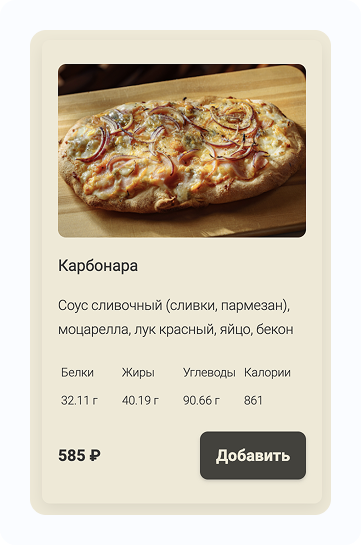
🤔 The image is scaled so that its width and height are greater than or equal to the mask dimensions.
If one side becomes larger than the corresponding mask side, the image is cropped along that side.
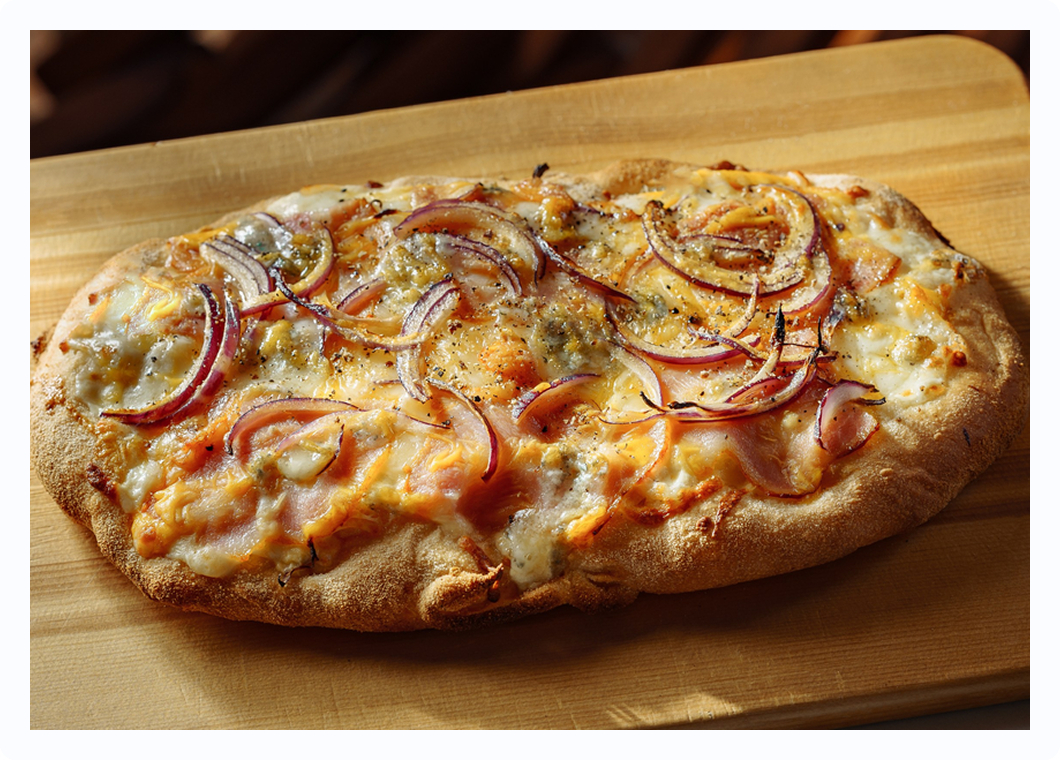
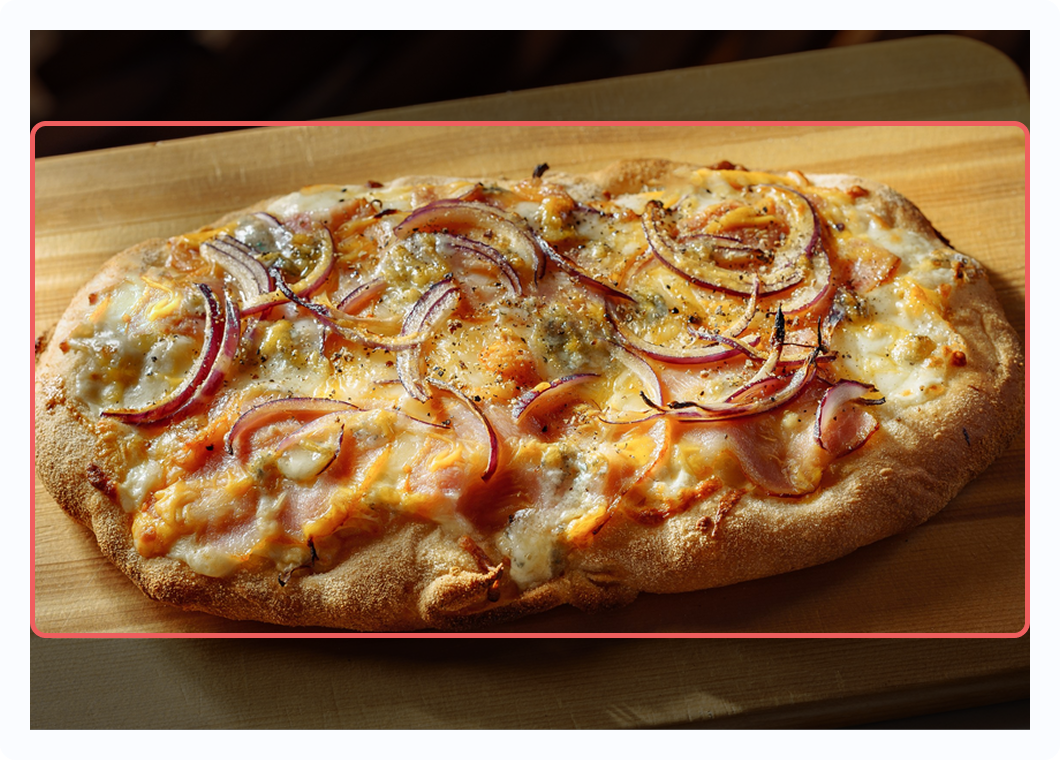
Original photo 1000×700px🔗
How it looks on the website🔗
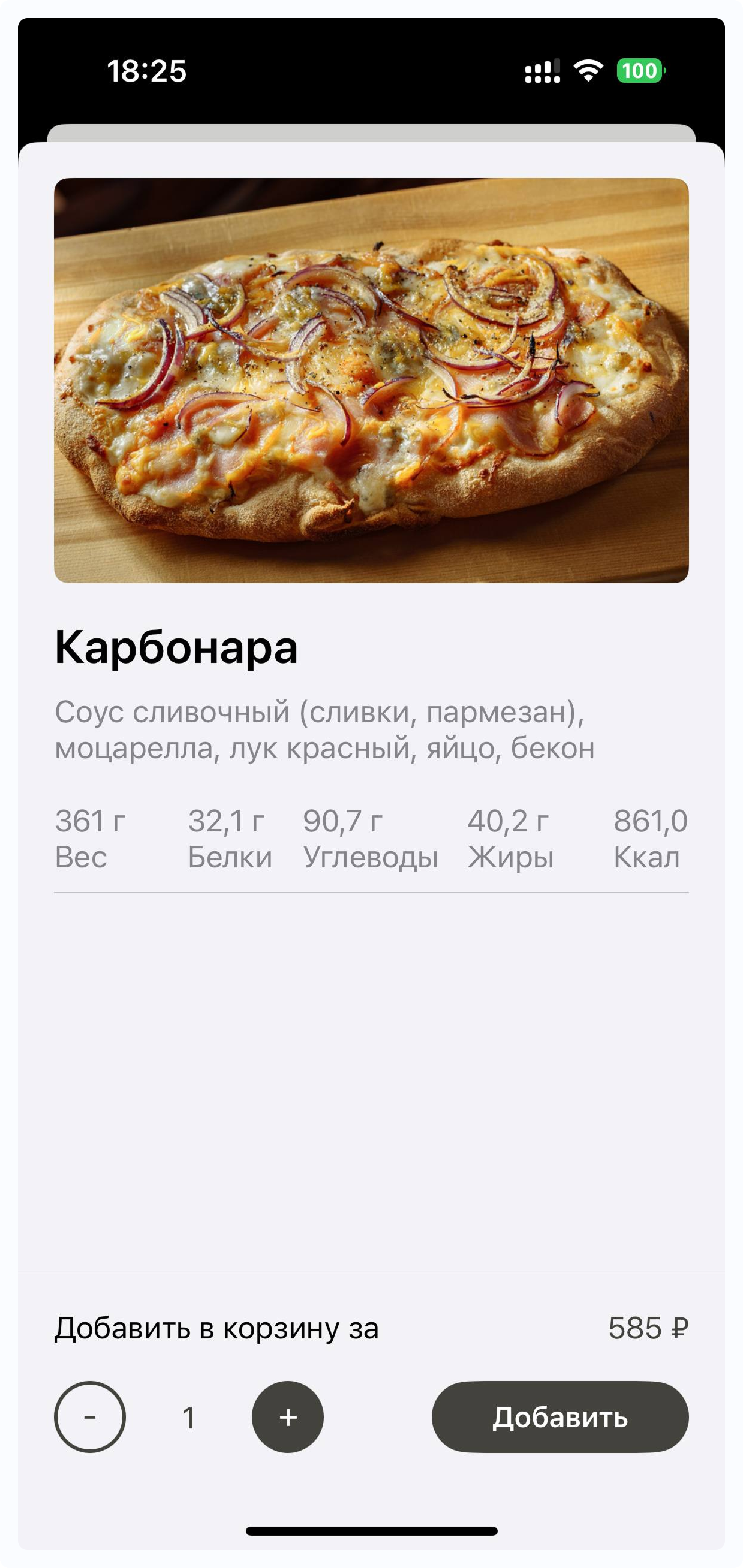
How it looks in the app🔗
2️⃣ Menu Display Options🔗
1) Menu Display Format🔗
There are 2 (actually 3) options available.
🔸 Infinite menu🔗
When users immediately see the dishes
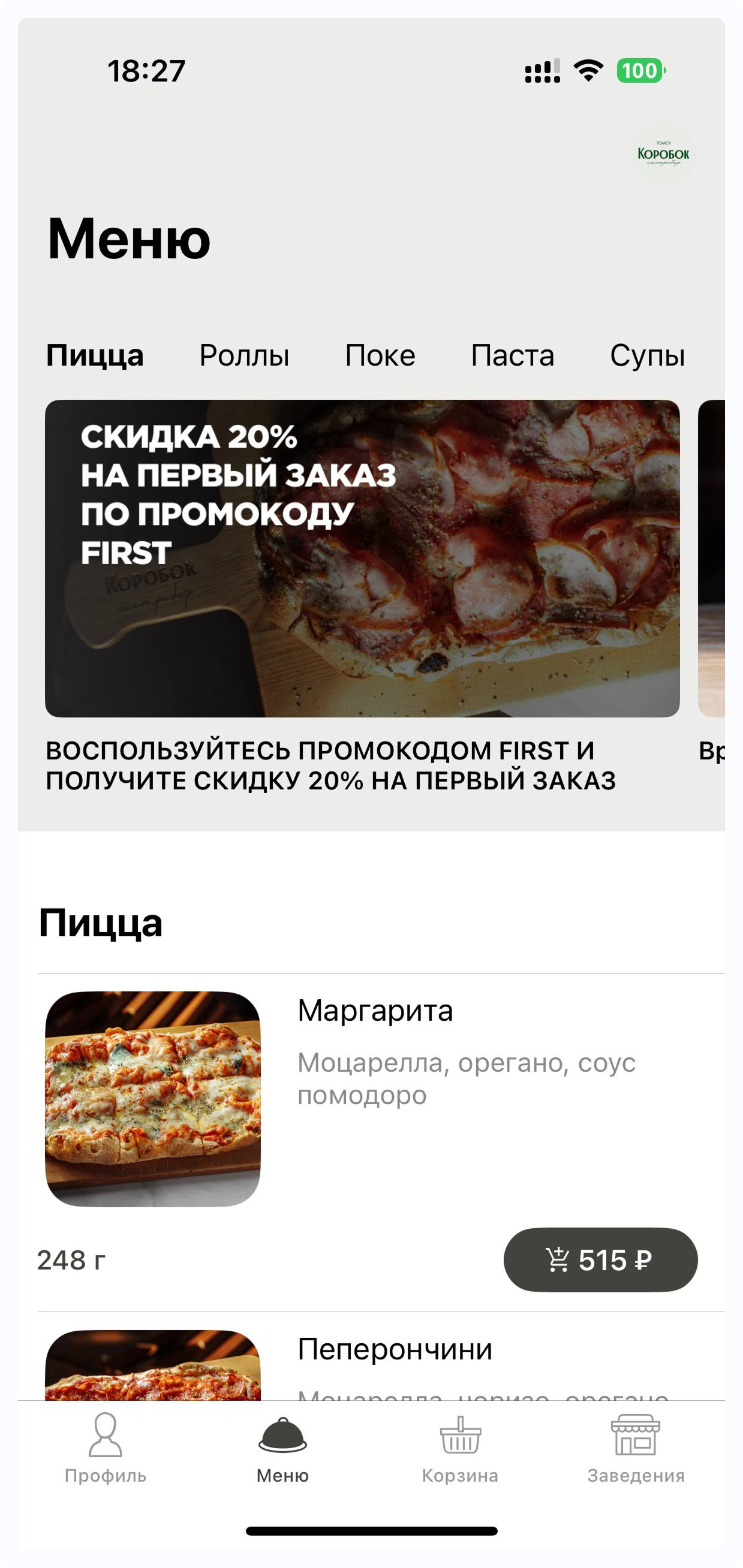
Suitable for shorter menus so users don’t have to scroll for too long ℹ️
Category navigation appears at the top as tabs.
🔸 Classic category view🔗
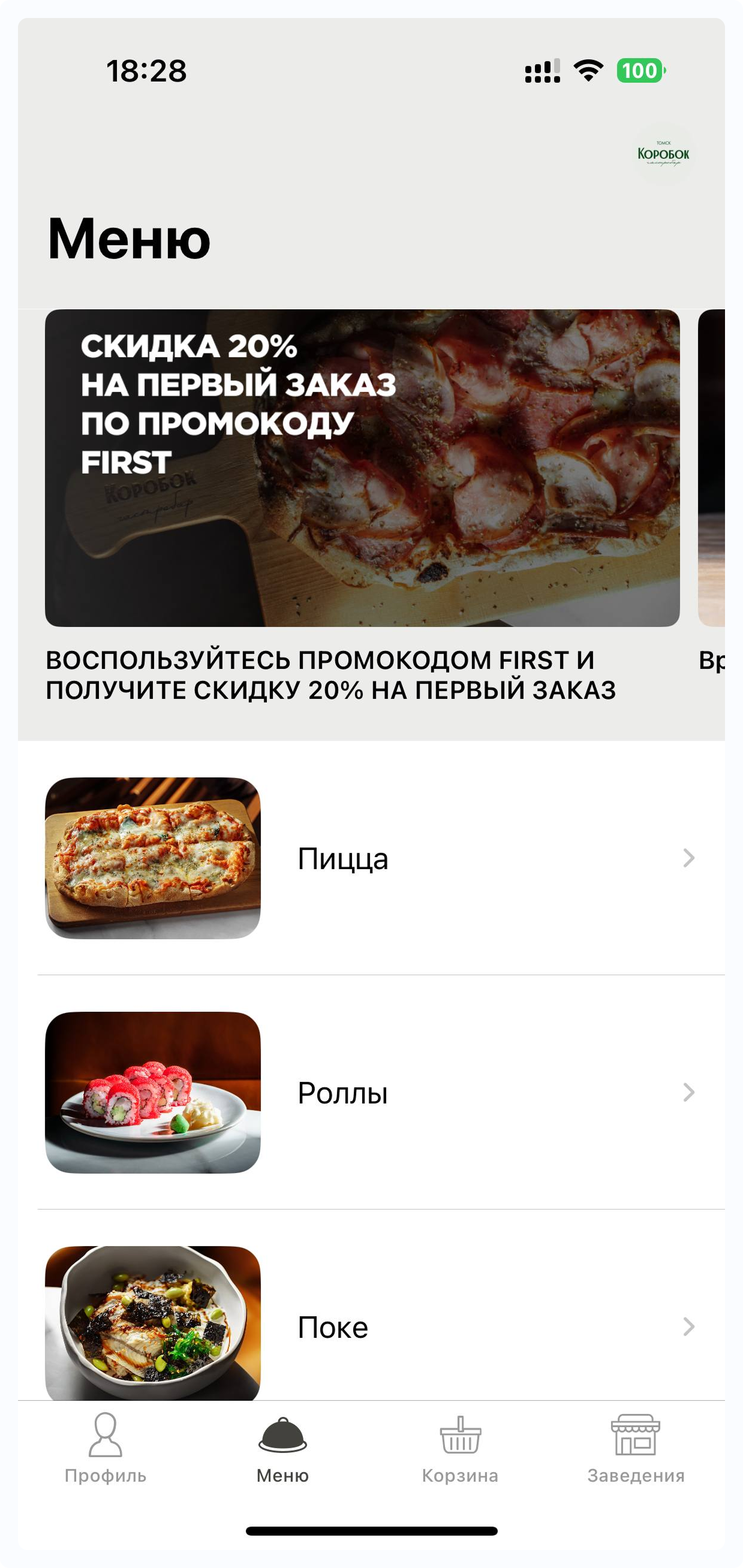
The most traditional format: users first see a list of categories and then the dishes ℹ️
💡 Categories can be nested.
When selecting a category, users may see another list of subcategories before viewing the dishes.
(for example: category Sushi & Rolls => subcategories sushi / rolls / sets / gunkans => dishes in the selected subcategory)
🔸 Combination: categories with infinite tab view inside🔗
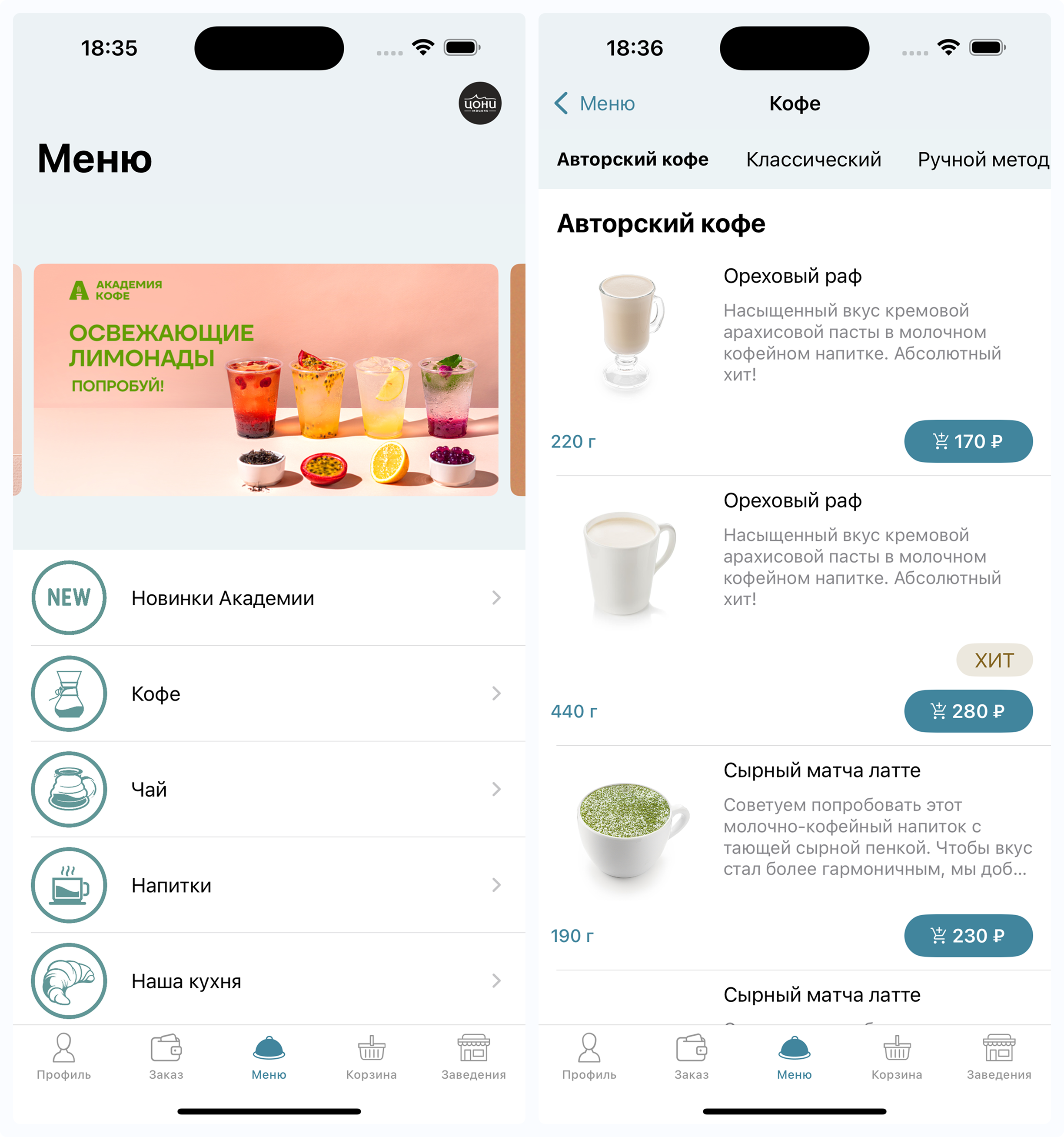
Most commonly used by coffee shops ℹ️
2) Category Photo Display🔗
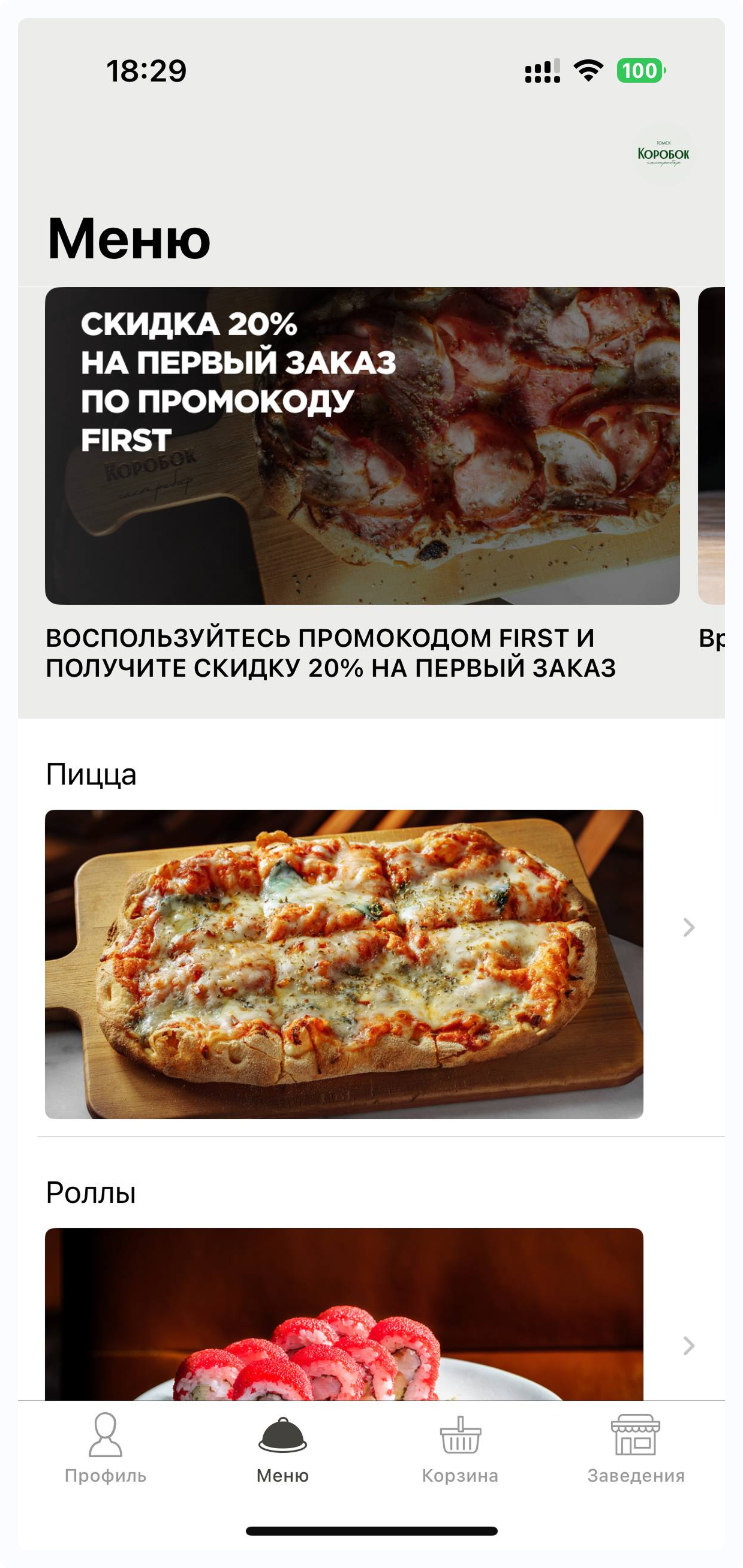
🔸 Large photos🔗
Content frame 1000×517px
🔸 Medium photos🔗
Content frame 937×700px
.png)
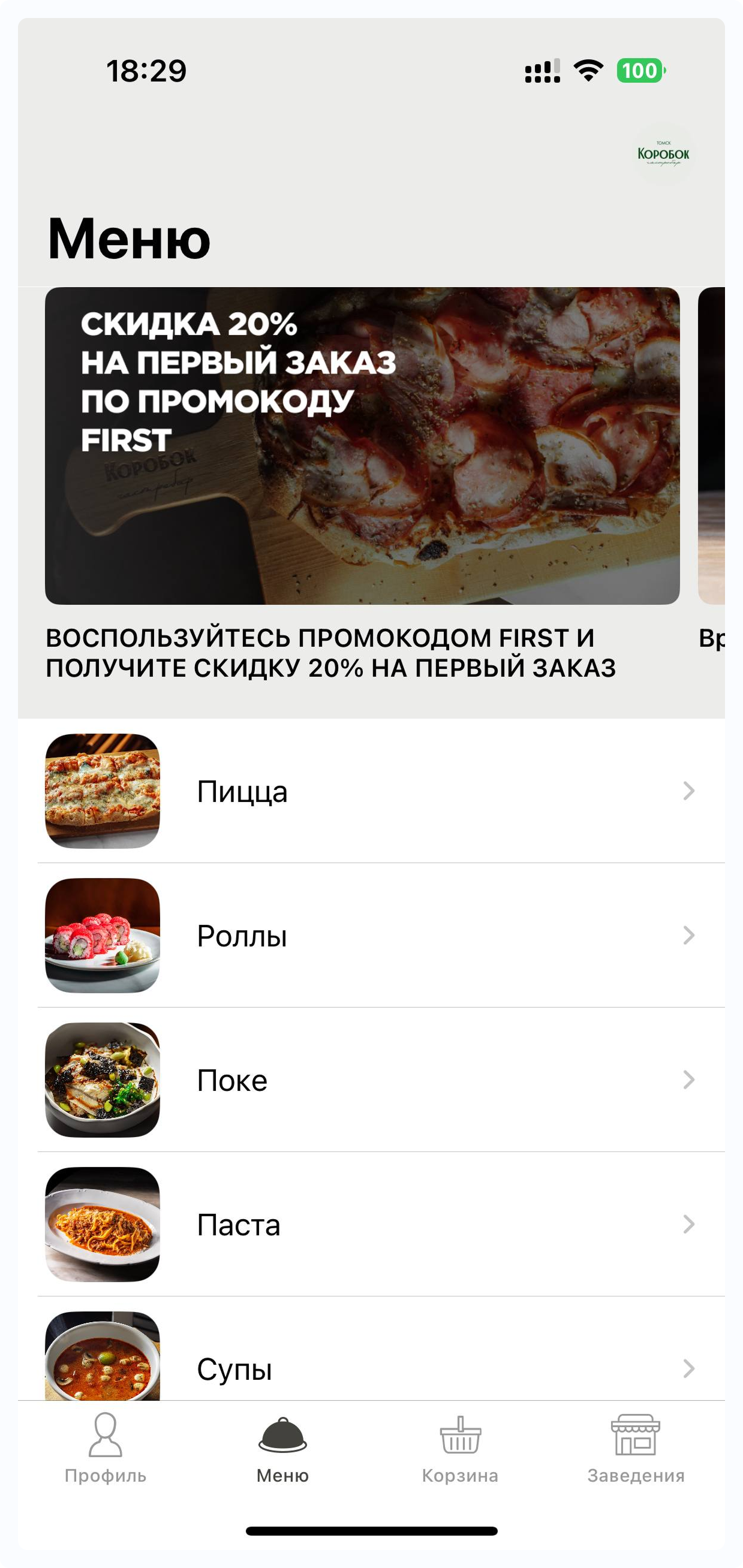
🔸 Small photos🔗
Content frame 700×700px
3) Dish Photo Display🔗
🔸 Large photos🔗
Content frame 937×700px
.png)
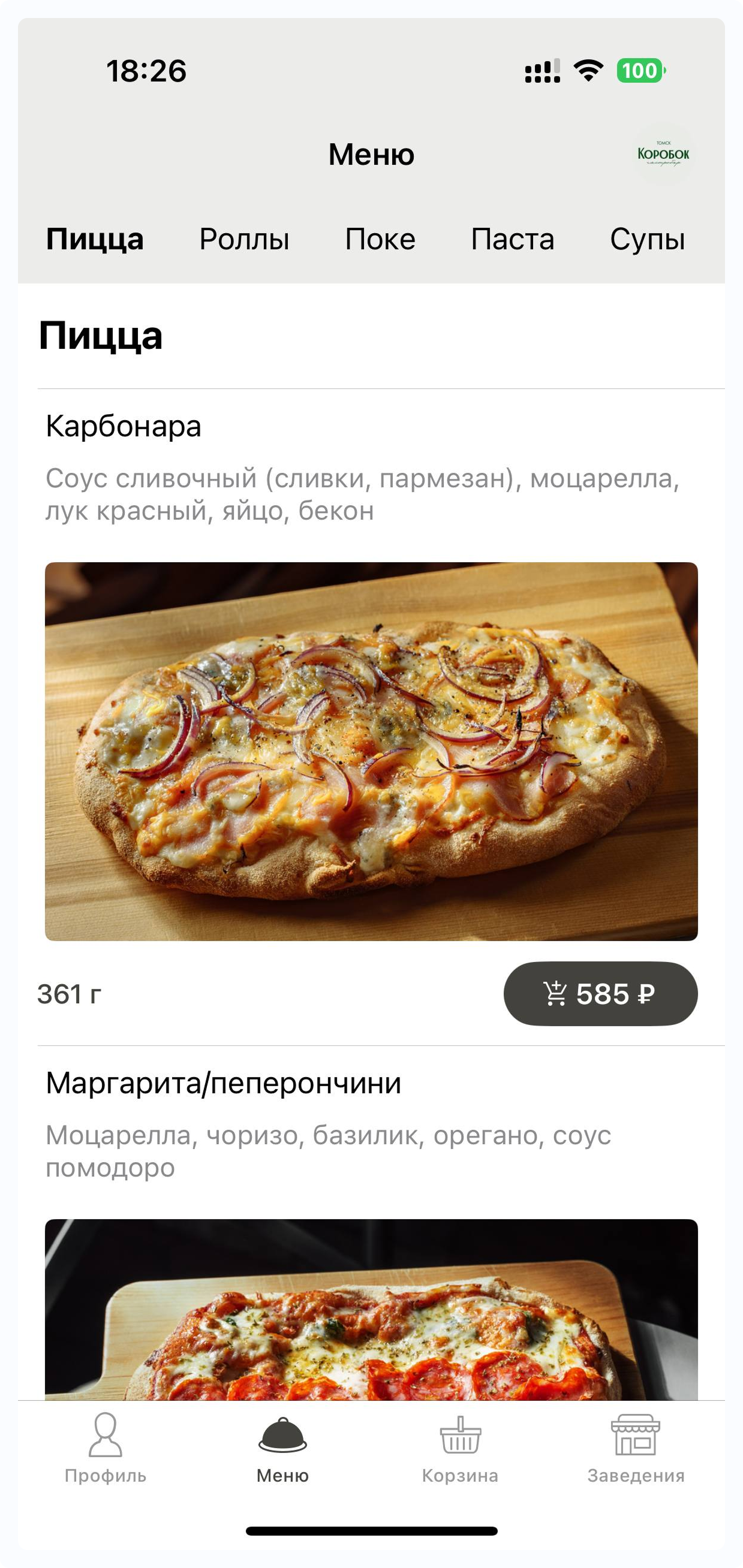
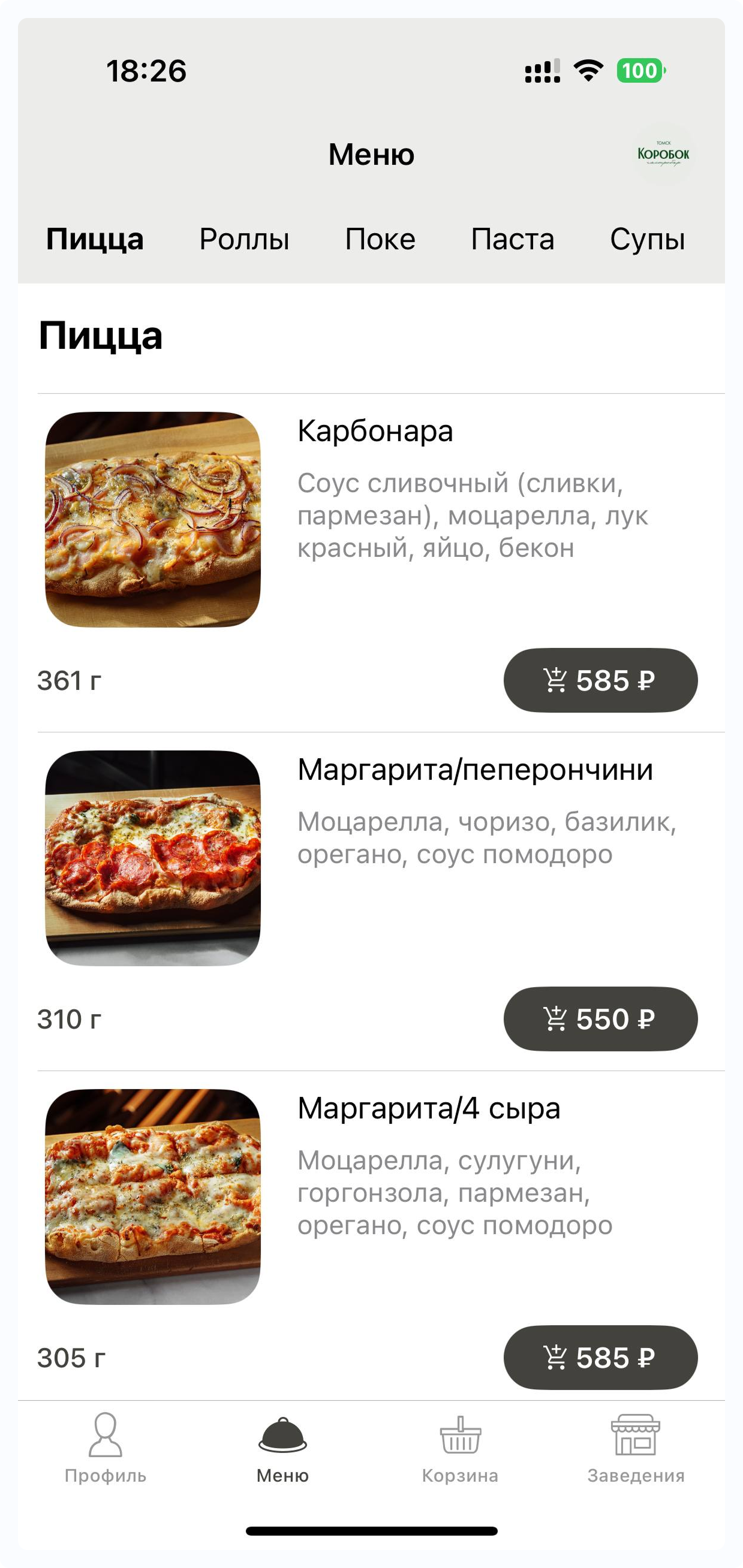
🔸 Medium photos🔗
Content frame 700×700px
3️⃣ Photo Preparation Rules🔗
Regardless of the selected display format:
- Photo size — 1000×700px
- File size — 1mb
- Place the main content in the center and away from the edges
Inform your manager ✅
- Which 1) Menu Display Format you would like to use
- Which 2) Category Photo Display size will be used (if applicable)
- Which 3) Dish Photo Display size will be used