📲 Test Application Installation🔗
ℹ️ What will we do?
✅ Install the special TestFlight application
(it is required to install an app that is not publicly available in the App Store)
✅ Open a special invitation link
✅ Install the RBCN test application
1️⃣ Installing the TestFlight Application🔗
📲 Click 👉 📲 TestFlight
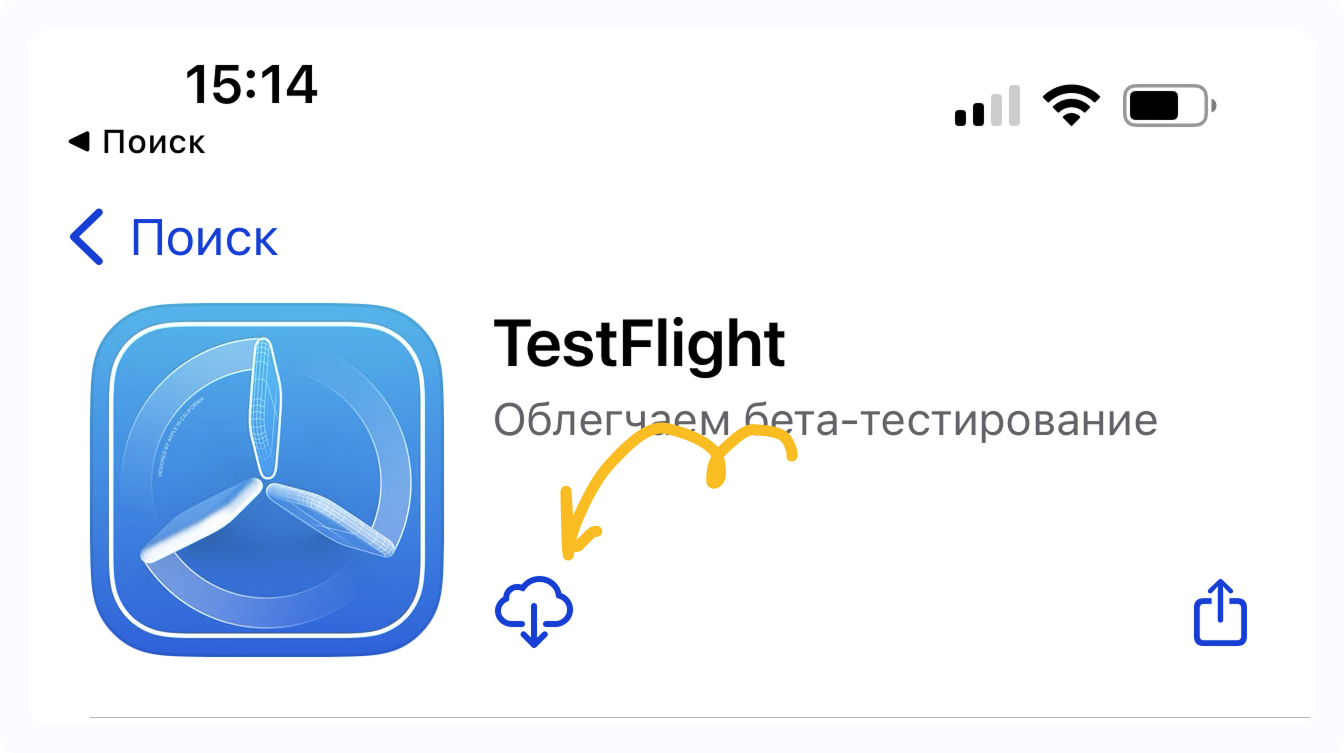
👉 Tap Install, or the Download icon, or Update (if the app is already installed)
🚀 Tap Open
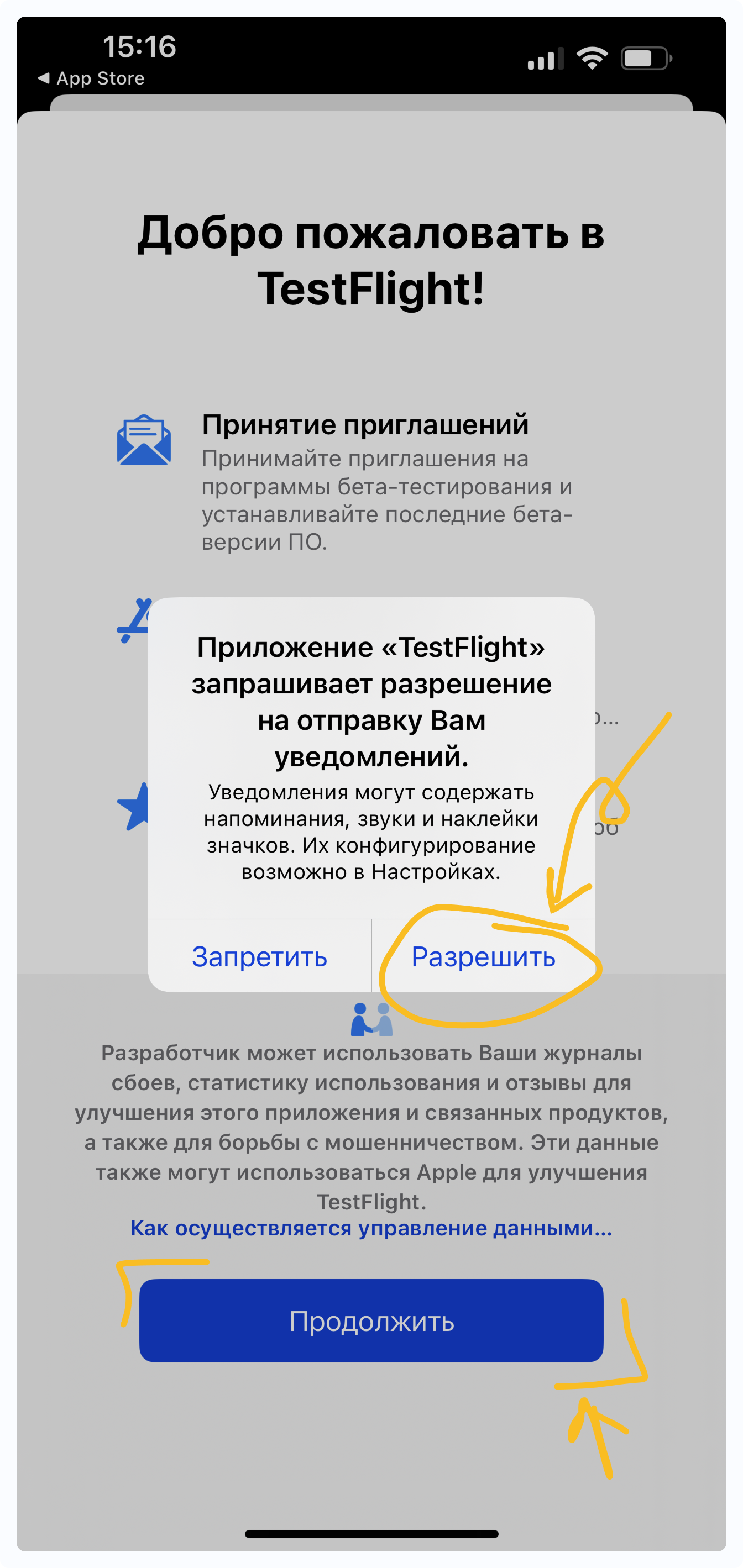
📎 Accept all agreements and grant permissions
(if prompted):
- Allow notifications
- Tap Continue at the bottom
- When the user agreement opens — tap Accept in the bottom right corner
Important ⚠️ Restart the TestFlight application
2️⃣ Installing the RBCN Test Application🔗
📲 Click 👉 📲 Join the RBCN
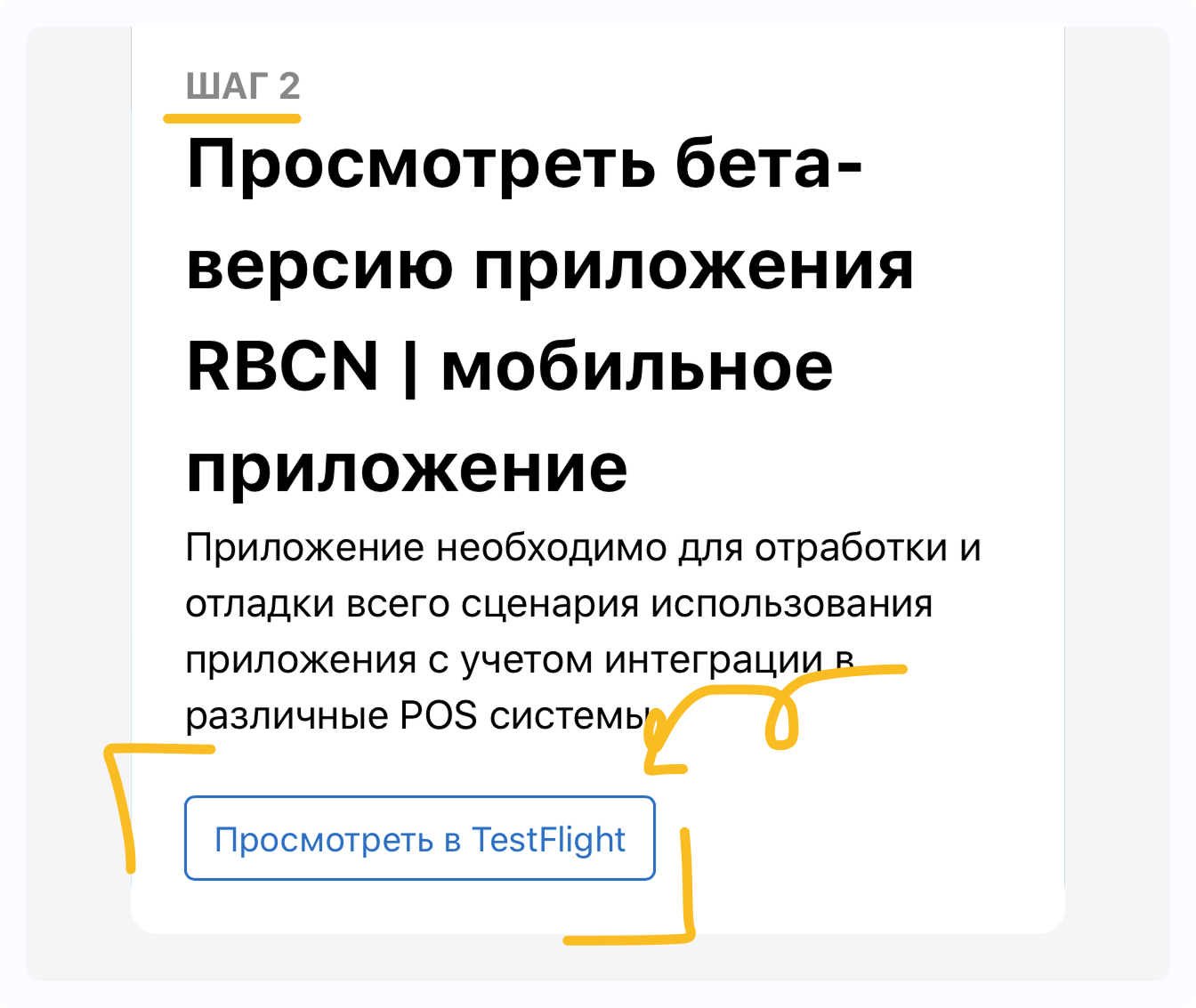
🔽 Scroll down to Step 2
👀 Tap View in TestFlight
👉 Tap ACCEPT (if prompted)
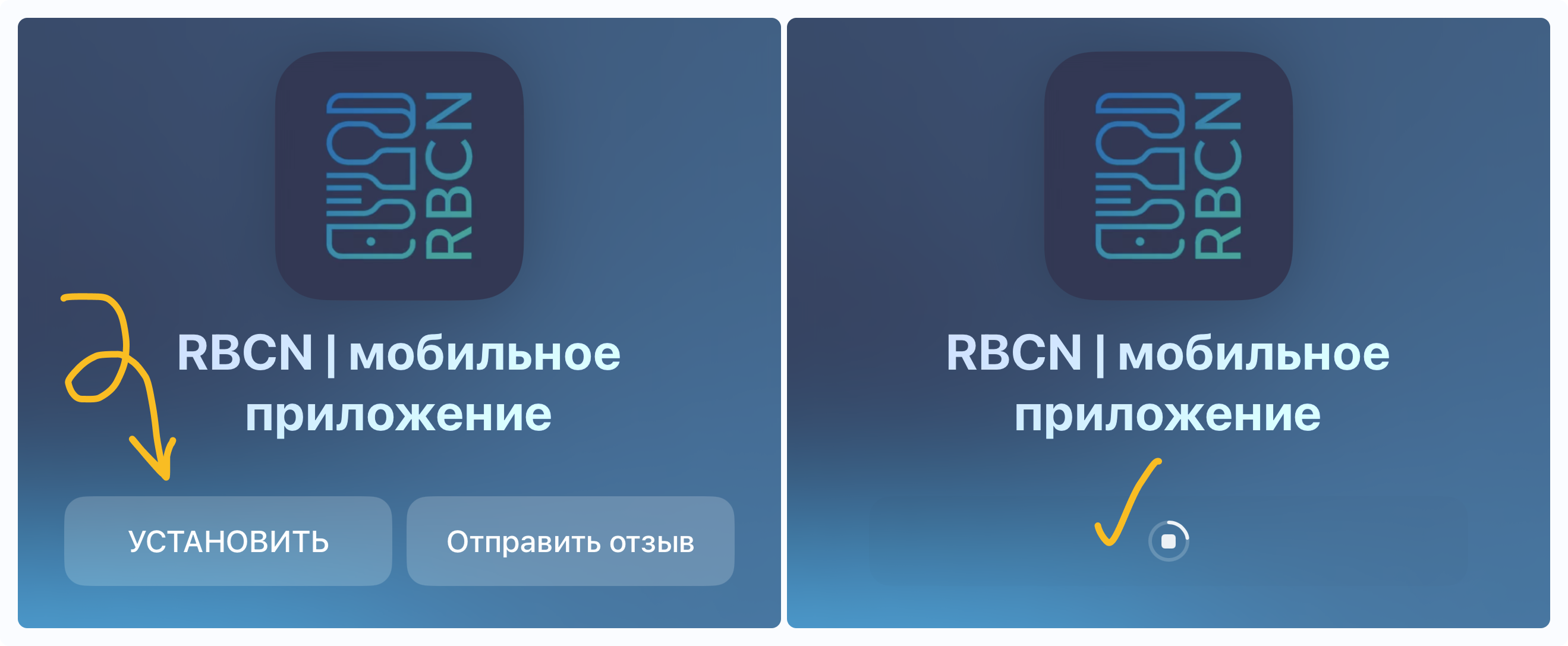
👉 Tap INSTALL → a loading spinner will appear ⏳
👉 Tap OPEN
📎 Accept all agreements:
- Allow push notifications
- On the agreement screen, tap Next at the bottom
- In the “What to Test” section, tap Start Testing
3️⃣ Testing🔗
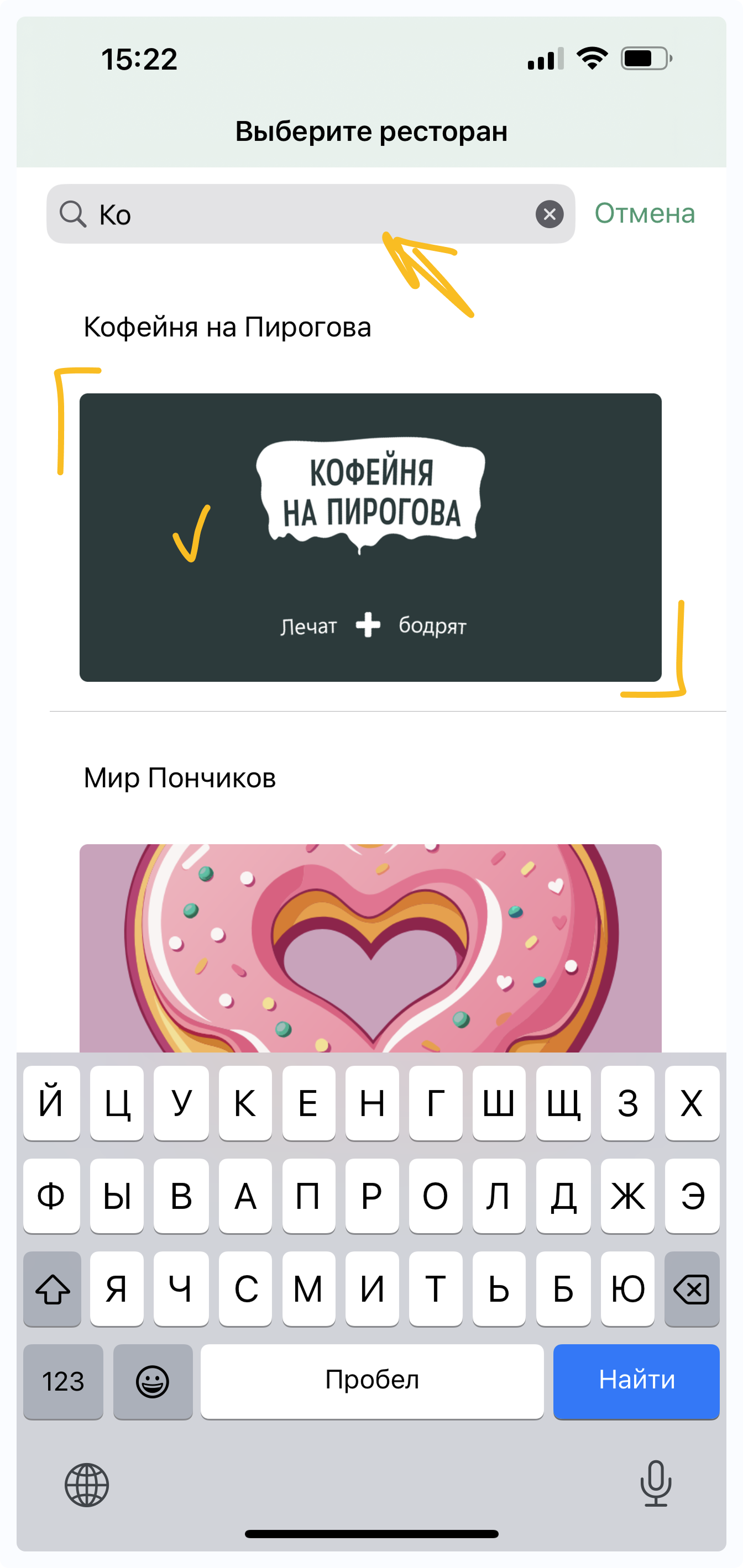
🔎 In the test application, use search to find your venue and tap on it.
🎉 Done — you can start testing!
Important ⚠️ Report any issues or inaccuracies to your manager